How to Transfer a Call in Microsoft Teams
Watch this video or use the instructions below to learn how to transfer a call in the Microsoft Teams App.
Transferring a Call in Microsoft Teams
You can transfer a call in Microsoft Teams with just a few clicks. Here’s how to transfer a call when you know your colleague is available:
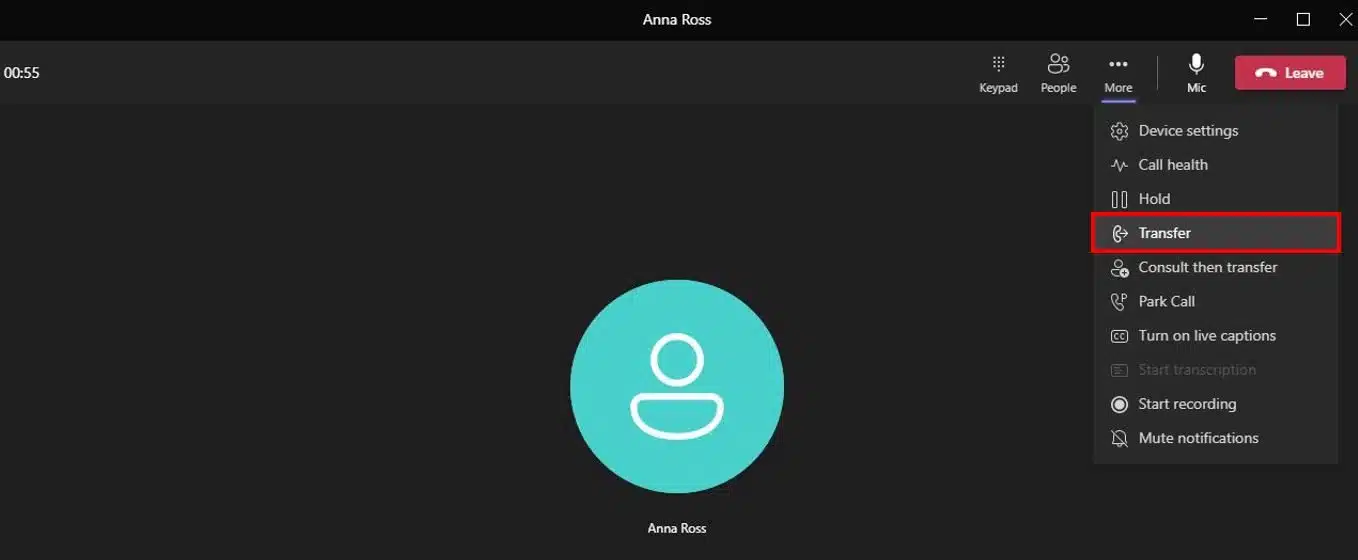
- While in a call, click the ellipsis in the top right corner to view more call options.
- Select Transfer from the call options, and your current call will be placed on hold.
- Find the contact you’d like to transfer the call to by typing their name or phone number in the search box.
- Once you’ve selected your contact, click the Transfer button at the bottom of the transfer window.
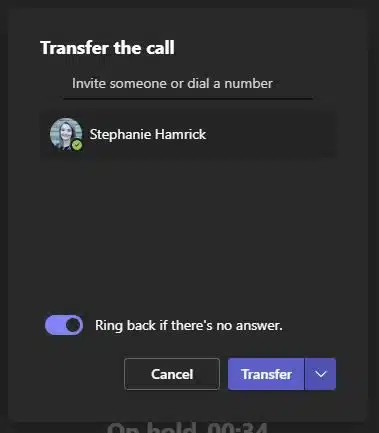
Note: If you click the drop-down arrow next to the Transfer button, you will have the option to transfer a call to your colleague’s voicemail.
- The call will be transferred, and the call window will close automatically.
We don’t always know whether a colleague is available to take a call. The good news is, Teams built in a feature that allows you to consult with a colleague before transferring a call. Here’s how:
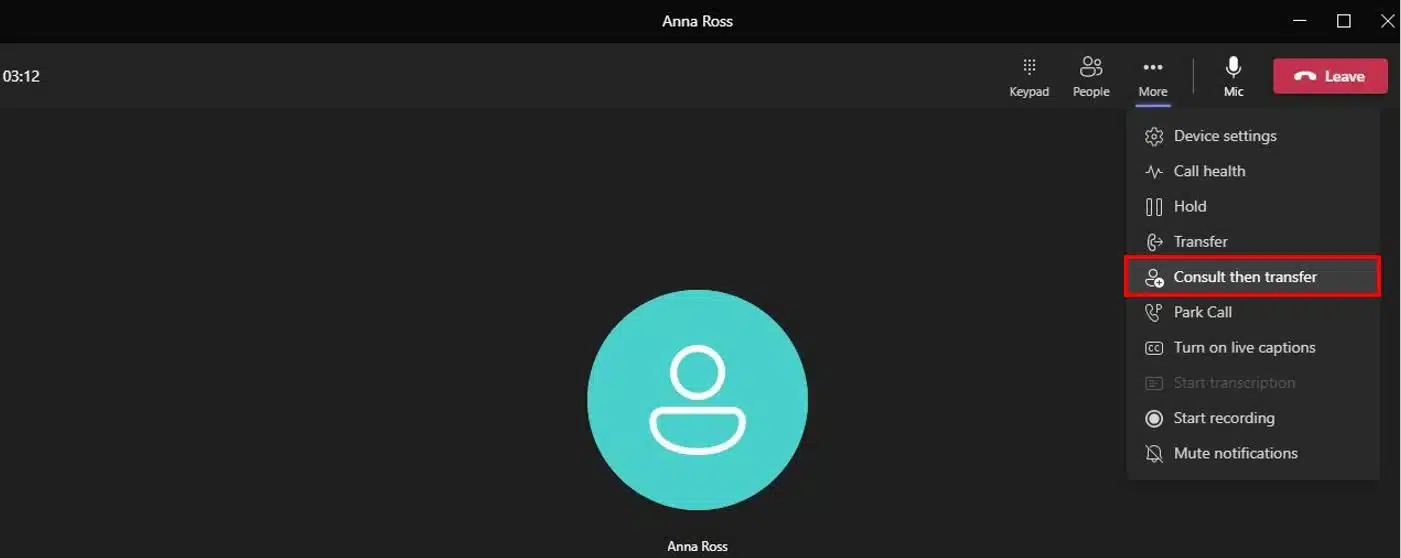
- While in a call, click the ellipsis in the top right corner to view more call options.
- Select Consult then transfer from the call options.
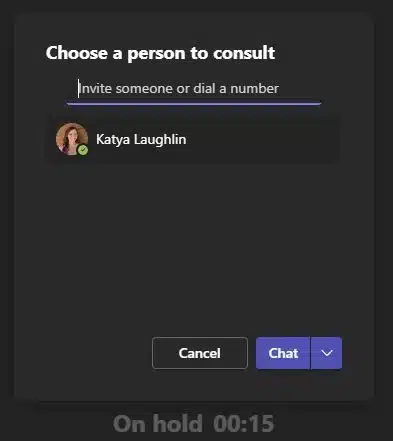
- Search for the colleague you need to consult with in the pop out window.
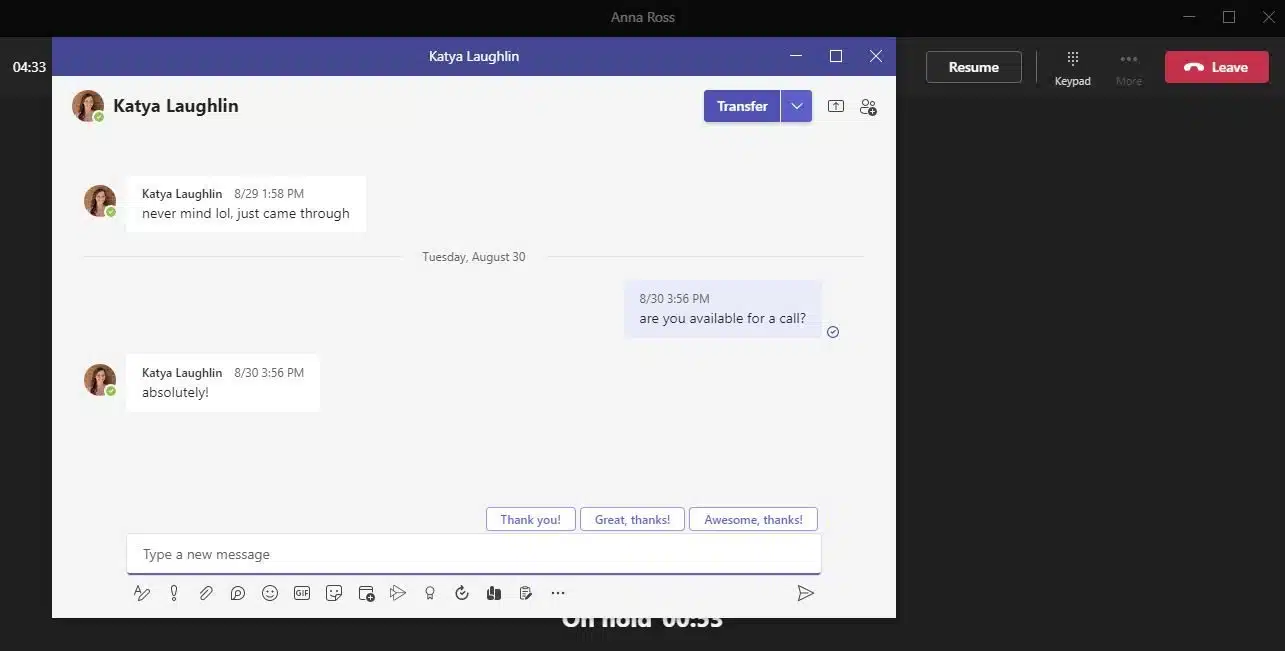
- Click the Chat button to send your colleague a message in Teams or click the drop down arrow to start an audio call.
- If your colleague is available to chat, you can click the Transfer button in the top right corner of the chat window. If your colleague is unavailable, you can Resume your previous call, and transfer the caller to your colleague’s voicemail.