How to Set Your Ringtone in Microsoft Teams
Watch this video or use the instructions below to learn how you can set and preview your ringtone in Microsoft Teams.
Microsoft Teams Introduces a New Ringtone
Last month Microsoft Teams released a new ringtone to break up the oh so familiar sound of a Teams call. Teams enthusiast Calum Newton (@Candy.Moore.mp3) created a remix of the traditional Teams ringtone that will make you want to dance rather than sigh the next time a call comes through.
Set your Ringtone in Microsoft Teams
Setting your ringtone in Microsoft Teams is a simple process that can brighten your day when
you receive calls.
- Click the ellipsis next to your Teams profile in the top right corner
- Open your Settings
- Select Calls from the settings options
- Select the dropdown arrows to select your desired ringtones for Calls for you, Forwarded calls, and Delegated calls to help you differentiate each incoming call.
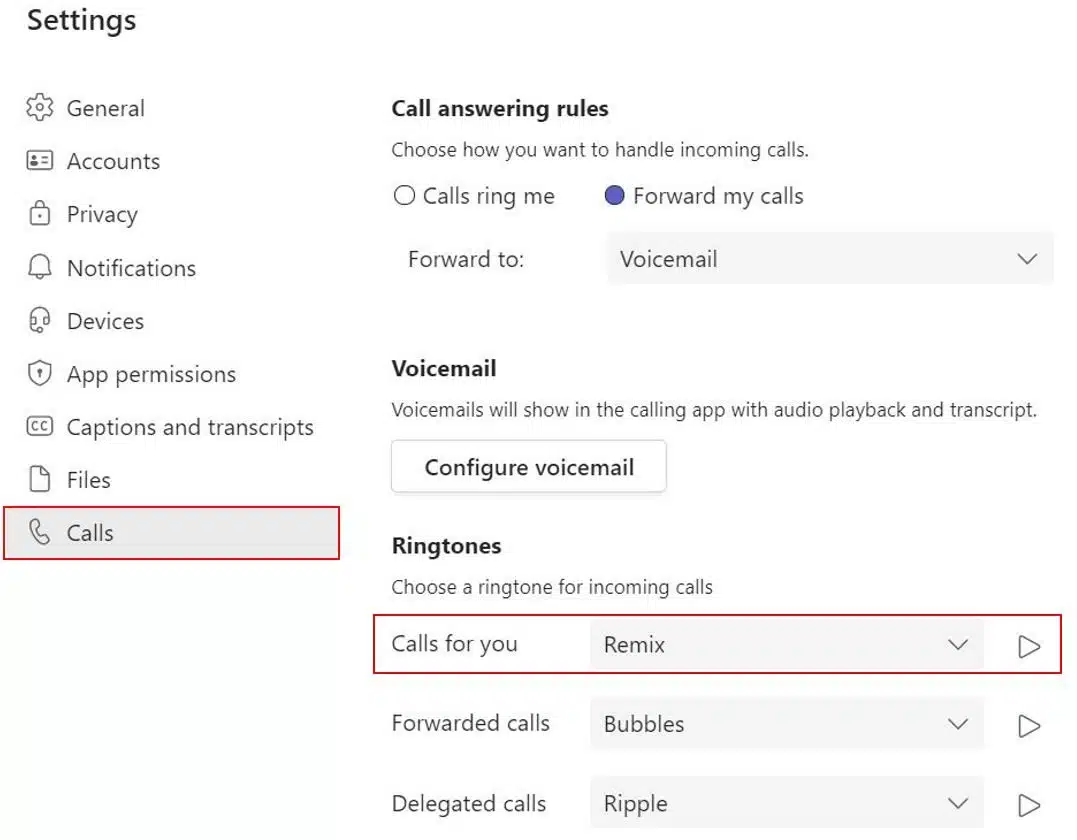
Note: You can click the play button next to the dropdown options to play the ringtone.
- Your changes will automatically save when you exit your settings.