How to Create Approval Workflows in Power Automate.
Watch this video or use the instructions below to learn how you create approval workflows from templates or from scratch in Power Automate.
How to Create Approval Workflows
To save time and stay organized when it comes to approvals, consider setting up a workflow in Power Automate.
To get started with approval workflows:
- Sign into Power Automate
- Select a template from the Templates tab or click Create to build a workflow from scratch.
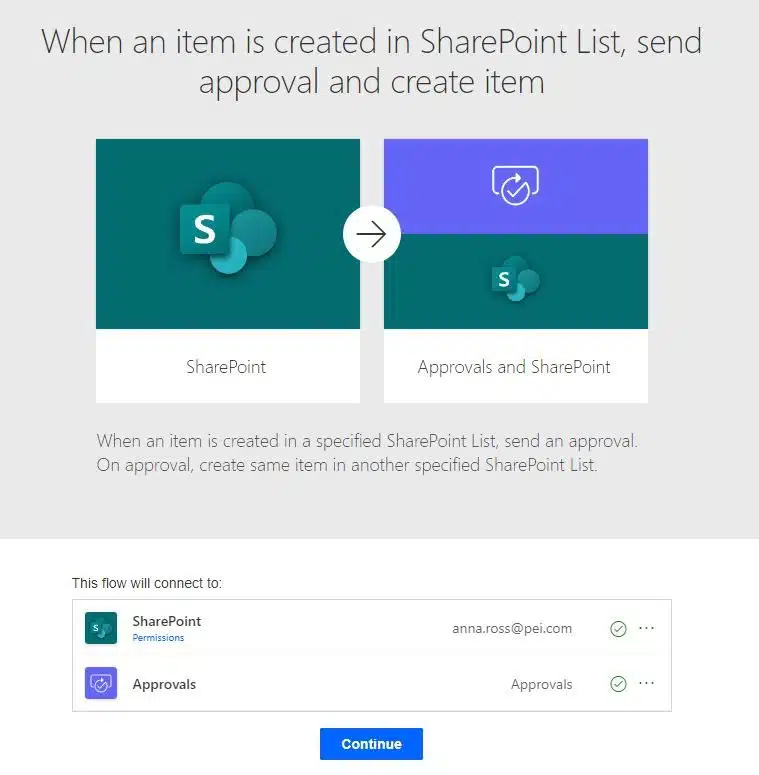
Note: for this example, we will use the workflow named “When an item is created in SharePoint List, send approval and create item”
- If you are using an approval template, make sure the flow meets your needs (or can be expanded upon to do so) and click Continue.
- Fill out the details of your flow. For the example we are working through, fill out the SharePoint list and approver.
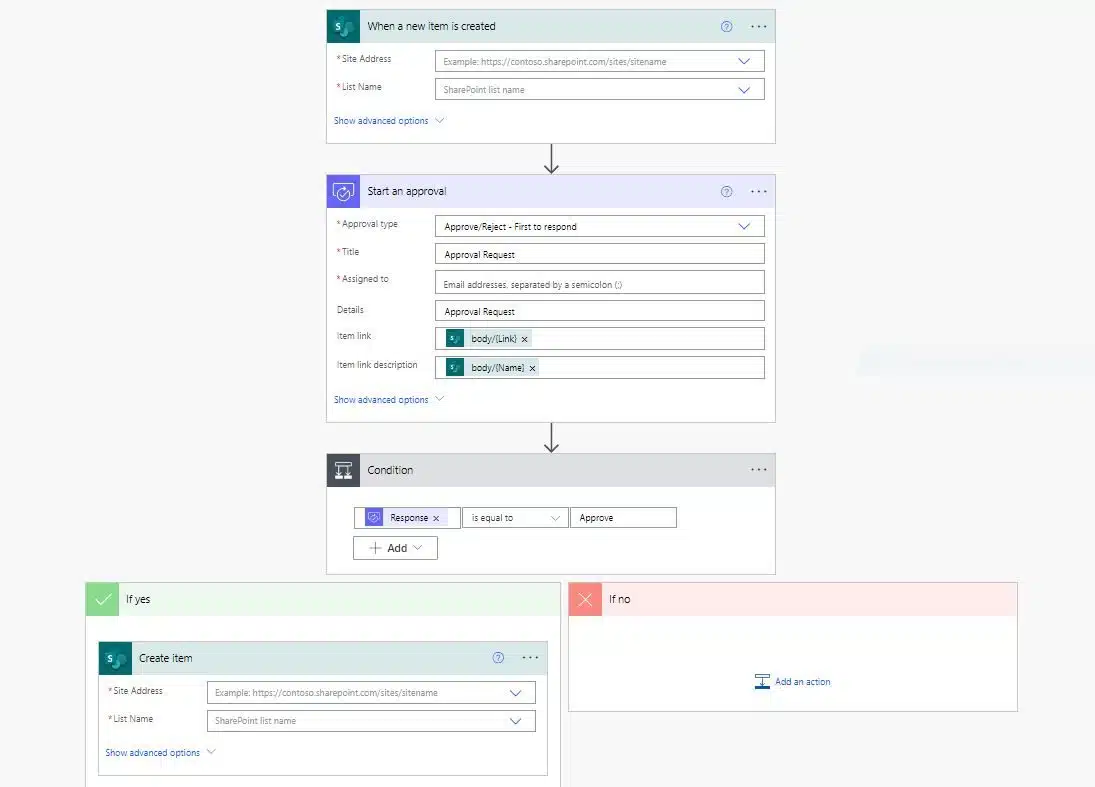
- Once you have your details filled in, click Save.